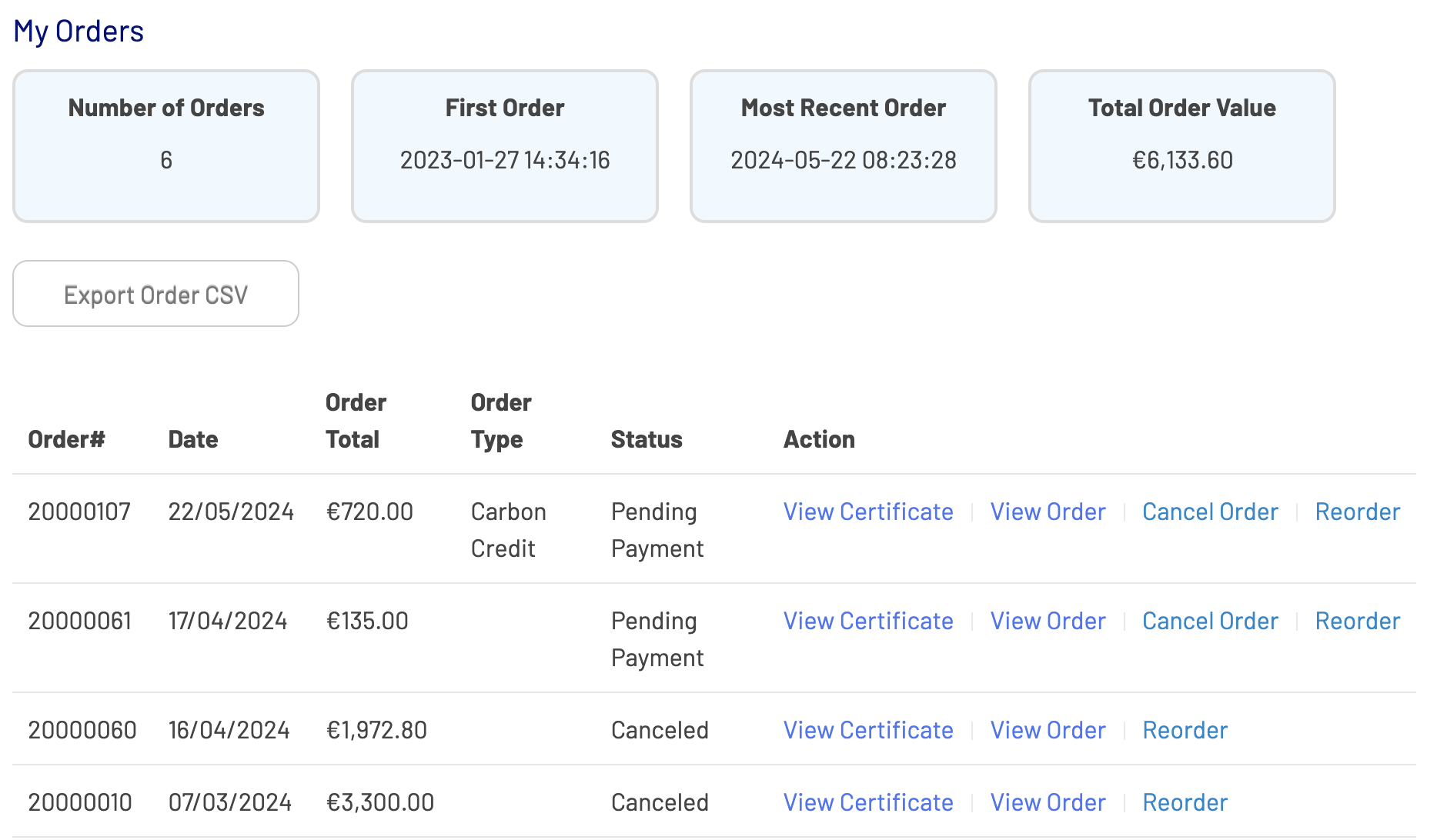
In order to cancel an order, you need to make sure 2 conditions are met:
- The order status is still pending - pending orders can be cancelled directly in the shop by yourself. If the payment has been received already, you can no longer cancel it yourself. You will need to get in touch with techsupport@southpole.com and explain why a paid order needs to be cancelled.
- The cancellation also happened in the MIR tool - your purchase history in the Impact Shop needs to be an exact reflection of the event calculation in the MIR tool. You cannot have an order in the shop that doesn’t exist in the MIR tool.
How to cancel an order
- Click on your name in the top banner of the site
- Select “My Account” to access account settings and purchase history
- In the menu on the left side of the screen, select “My Orders”
- A list of all your orders will display on the screen. Next to the ones with “Pending Payment” status, you have a button to “Cancel Order”, click on it
- A confirmation pop up will appear to ask if you are sure you want to cancel your order, click on “Yes”
- When you click on Yes, the pop up window will close and the page will reload. At the top of the screen is a new message on a green background telling you that your order has successfully been cancelled
- By email, you will receive a cancellation confirmation. The subject line is “Update to your South Pole Carbon Asset Management Ltd. order”. The email body contains the order ID and a prompt to either log in to your account or get in touch with South Pole techsupport