Payment process
When you are in the last step of the checkout, the platform will ask you to select a payment method. To use your credit line for payment, you need to select the “Add to my monthly invoice” option.
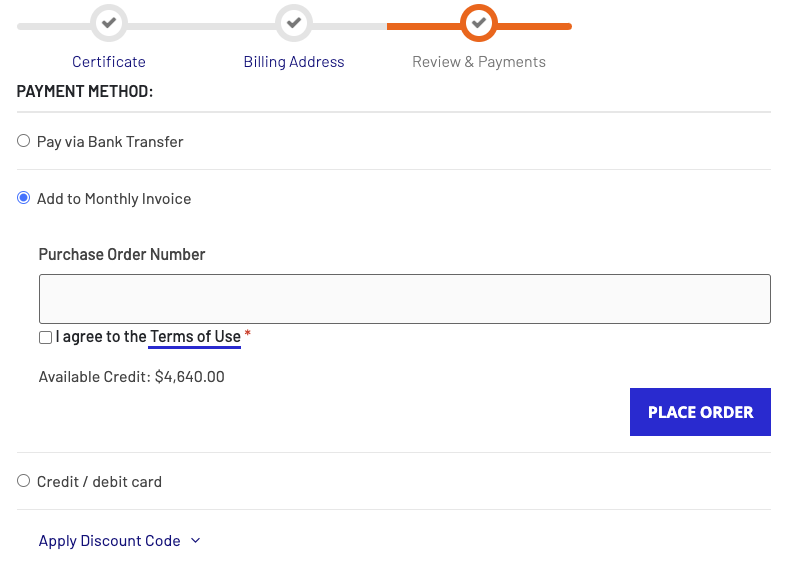
You do not need to fill in the “PO” field, as your meeting information will automatically be linked to this order.
Check the “I agree to Terms of Use” and click on “Place order” when you are ready to confirm your order.
As soon as your order is confirmed, you will receive two emails from us
Order confirmation and certificate of climate action
In the few minutes following your clicking of the “Place order” button, you will receive an order confirmation email with the subject line “Your South Pole Carbon Asset Management Ltd. order confirmation”
The body of this email contains a summary of your order: billing information, chosen payment method, supported project, total order volume in ton and total order value.

Attached to this email is the certificate climate action that contains your event name, chosen project and order volume.

Balance update
At the same time, you will receive a second email with the subject line “Your Credit Balance has been Updated”.
The body of this email contains the details of the update that has been made to your credit balance: adding this order to your potential previously pending orders to display how much is due now.
